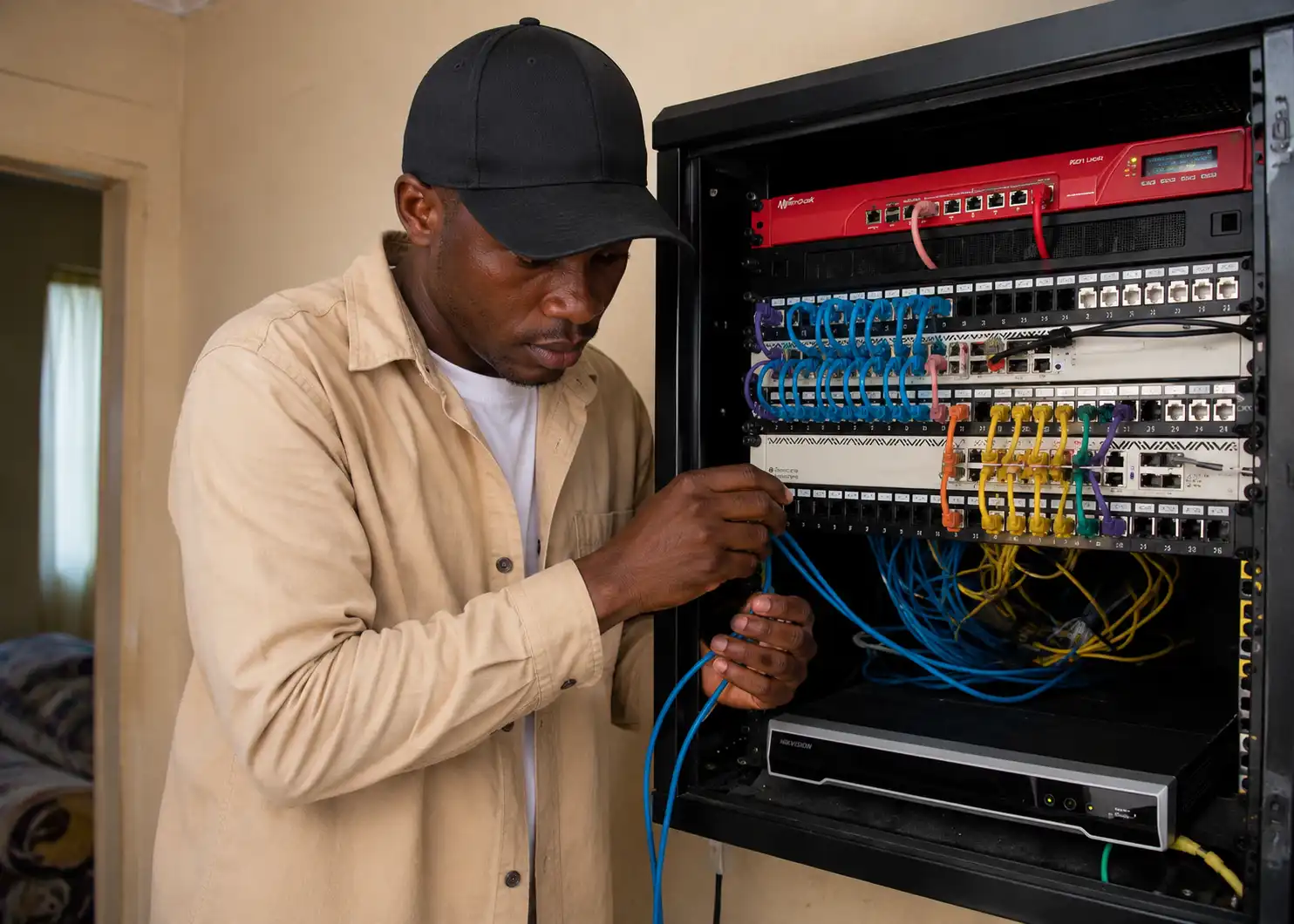

BUILD A BETTER WIFI HOTSPOT BUSINESS
Run your hotspot with a stable billing system, an elegant captive portal, self-service onboarding and powerful PPPoE management.
Start Your 14-Day Free Trial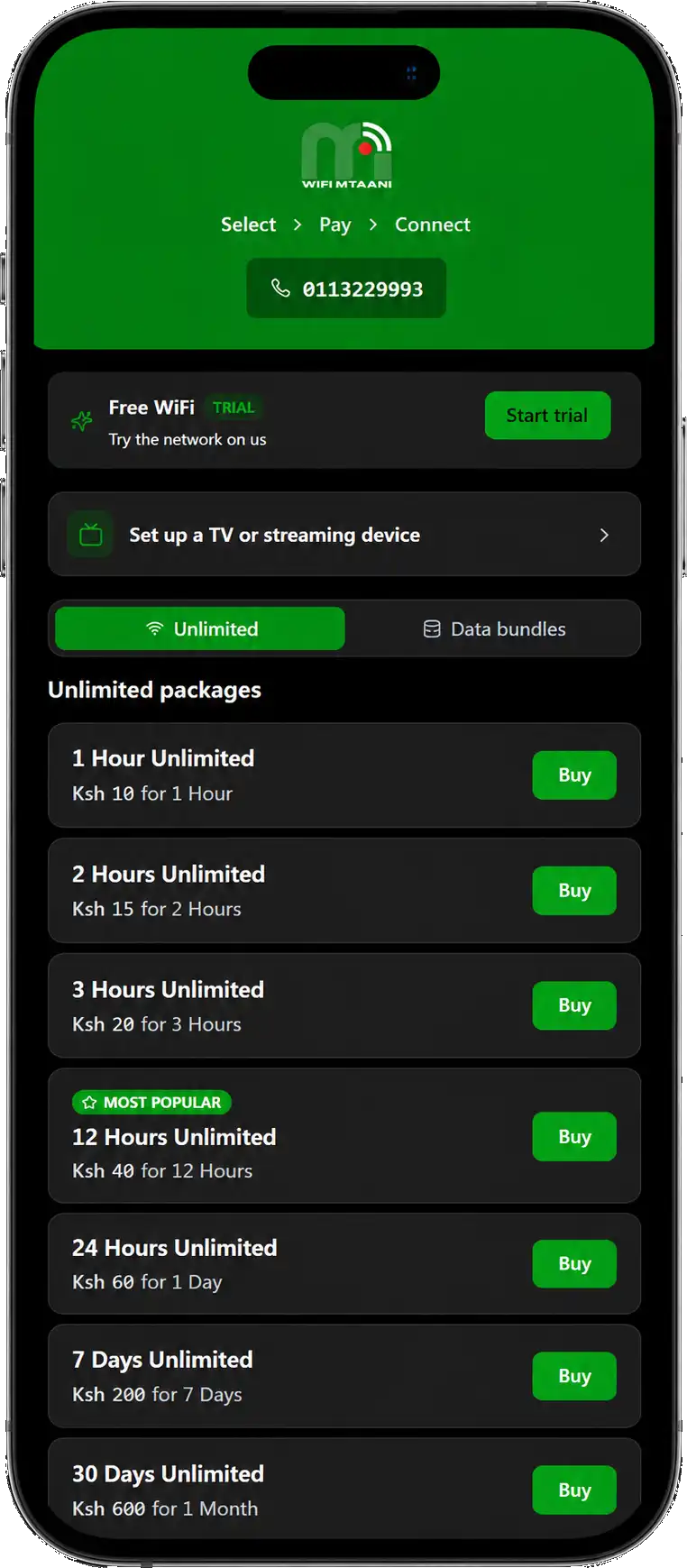
WiFi Mtaani Hotspot Zones
WiFi Mtaani Hotspot Zones make it easy to get fast, affordable internet without installing a home connection. Simply connect to a nearby WiFi Mtaani hotspot, choose a package and start browsing in minutes.
Below are answers to the most common questions about our hotspot service, including how to connect, buy packages, find hotspot locations and troubleshoot common issues.
If you can’t find what you’re looking for, our support team is always ready to help.
What is a WiFi Mtaani Hotspot Zone?
A WiFi Mtaani Hotspot Ready Zone is a location where you can connect to the internet wirelessly using your phone, laptop, tablet or other Wi-Fi-enabled device. Instead of using mobile data, you connect to the WiFi Mtaani network, purchase a package and enjoy fast, reliable internet.
Our hotspot zones are available in selected estates, apartments, shopping centres, hostels, schools and public areas across Kenya. We’re expanding our coverage regularly, so new locations are added every month.
How do I connect to a WiFi Mtaani Hotspot?
Connecting to WiFi Mtaani is quick and easy:
- Turn on Wi-Fi on your phone, laptop or tablet.
- Select the WiFi Mtaani network from the list of available Wi-Fi networks.
- If the login page doesn’t open automatically, open your browser and visit any website.
- Choose the internet package that suits your needs.
- Complete payment using M-PESA.
- Once your payment is confirmed, you’ll be connected to the internet automatically.
If you already have an active package, simply reconnect to the WiFi Mtaani network and continue browsing.
Where can I find WiFi Mtaani Hotspot Zones?
WiFi Mtaani Hotspot Zones are available in selected apartments, estates, hostels, businesses, schools and public spaces across Kenya.
To see if we’re available in your area, visit our Hotspot Coverage page for the latest list of locations. If your area isn’t covered yet, you can request coverage by contacting WiFi Mtaani. We’re expanding our network regularly and adding new hotspot zones every month.
| County | Town/Area | Estates & Locations Covered |
|---|---|---|
| Nairobi | Westlands | Westlands CBD, Parklands, Spring Valley, Kyuna, Lower Kabete, Kitisuru, Muthangari, Brookside, Waiyaki Way, Mountain View |
| Nairobi | Kilimani | Kilimani, Yaya, Hurlingham, Adams Arcade, Riara Road, Rose Avenue, Dennis Pritt Road, Elgeyo Marakwet Road, Wood Avenue |
| Nairobi | Lavington | Lavington, Valley Arcade, James Gichuru Road, Gitanga Road, Kabarsiran Avenue, Convent Drive, Mbaazi Avenue |
| Nairobi | Lang’ata | South C, Nairobi West, Lang’ata, Madaraka, Nyayo Highrise, Uhuru Gardens, Hardy, Bomas, Karen Shopping Centre |
| Nairobi | Embakasi | South B, Fedha, Tassia, Imara Daima, Pipeline, Utawala, Ruai, Kamulu, Donholm, Umoja |
| Nairobi | Kasarani | Kasarani, Roysambu, Mirema, Thome, Marurui, Garden Estate, Ngumba, Seasons, Safari Park |
| Nairobi | CBD | Kenyatta Avenue, Moi Avenue, Tom Mboya Street, University Way, Haile Selassie Avenue, Upper Hill |
| Kiambu | Ruiru | Ruiru Town, Kimbo, Murera, Kahawa Sukari, Membley, Tatu City, Githunguri |
| Kiambu | Kiambu | Kiambu Town, Ruaka, Ndenderu, Wangige, Thindigua, Kirigiti, Ridgeways |
| Kiambu | Juja | Juja Town, Kenyatta Road, Juja Farm, Kalimoni, Highpoint, Gachororo |
| Machakos | Syokimau | Syokimau, Katani, Kiungani, Gateway Mall, Community Road |
| Machakos | Athi River | Athi River, Greatwall Gardens, Crystal Rivers, Daystar Area, Kinanie |
| Machakos | Mlolongo | Mlolongo, Sabaki, Quarry Road, Signature Mall Area |
| Machakos | Kitengela | Kitengela Town, Milimani, Yukos Area, Acacia, New Valley |
| Mombasa | Nyali | Nyali Centre, Links Road, Greenwood, Beach Road, Kongowea, City Mall Area |
| Mombasa | Likoni | Mtongwe, Shika Adabu, Timbwani, Gorofani, Bofu, Shelly Beach, Mkunguni, Likoni Ferry, Approved Estate, Barazani, Mzizima, Ujamaa, Kona Ya Musa, Mwereni, Vyemani, Majengo Mapya, Puma Estate, Sinai, Mikindani, Kona Polisi, |
| Mombasa | Island | Tudor, Ganjoni, Tononoka, Mwembe Tayari, Old Town, Makadara |
| Kisumu | Kisumu | Milimani, Mamboleo, Migosi, Tom Mboya Estate, Polyview, CBD |
| Nakuru | Nakuru | Section 58, Milimani, Pipeline, Lanet, Kiamunyi, Free Area, CBD |
| Nakuru | Naivasha | Lake View, Karagita, Naivasha Town, Site & Service |
| Uasin Gishu | Eldoret | Elgon View, Pioneer, Kapsoya, Racecourse, Annex, CBD |
| Kilifi | Kilifi | Kilifi Town, Mnarani, Bofa, Tezo |
| Kilifi | Malindi | Malindi Town, Casuarina, Mtangani, Sabaki |
| Kwale | Diani | Diani Beach, Galu, Ukunda, Leisure, Tiwi |
| Kisii | Kisii | Kisii CBD, Nyanchwa, Nyamage, Daraja Mbili, Jogoo |
| Kakamega | Kakamega | Milimani, Amalemba, Sichirai, CBD |
| Nyeri | Nyeri | Nyeri Town, Ruring’u, King’ong’o, Kamakwa |
| Meru | Meru | Meru Town, Makutano, Kaaga, Gitoro |
| Kericho | Kericho | Kericho Town, Ainamoi, Litein Road |
| Narok | Narok | Narok Town, Majengo, Total Area |
| Garissa | Garissa | Garissa Town, Bulla Iftin, Bulla Mpya |
| Laikipia | Nanyuki | Nanyuki Town, Majengo, Thingithu |
| Siaya | Siaya | Siaya Town, Bondo Road, Sega |
| Vihiga | Vihiga | Luanda, Chavakali, Mbale |
What internet packages are available on WiFi Mtaani Hotspots?
WiFi Mtaani offers a range of affordable internet packages to suit different needs and budgets. Whether you need internet for a few minutes, a few hours or the whole day, there’s a package for you.
| Package | Price | Validity |
|---|---|---|
| Free Trial | FREE | 15 Minutes |
| 1 Hour Unlimited | Ksh 10 | 1 Hour |
| 2 Hours Unlimited | Ksh 15 | 2 Hours |
| 3 Hours Unlimited | Ksh 20 | 3 Hours |
| 12 Hours Unlimited (Most Popular) | Ksh 40 | 12 Hours |
| 24 Hours Unlimited | Ksh 60 | 1 Day |
| 7 Days Unlimited | Ksh 200 | 7 Days |
| 30 Days Unlimited | Ksh 600 | 30 Days |
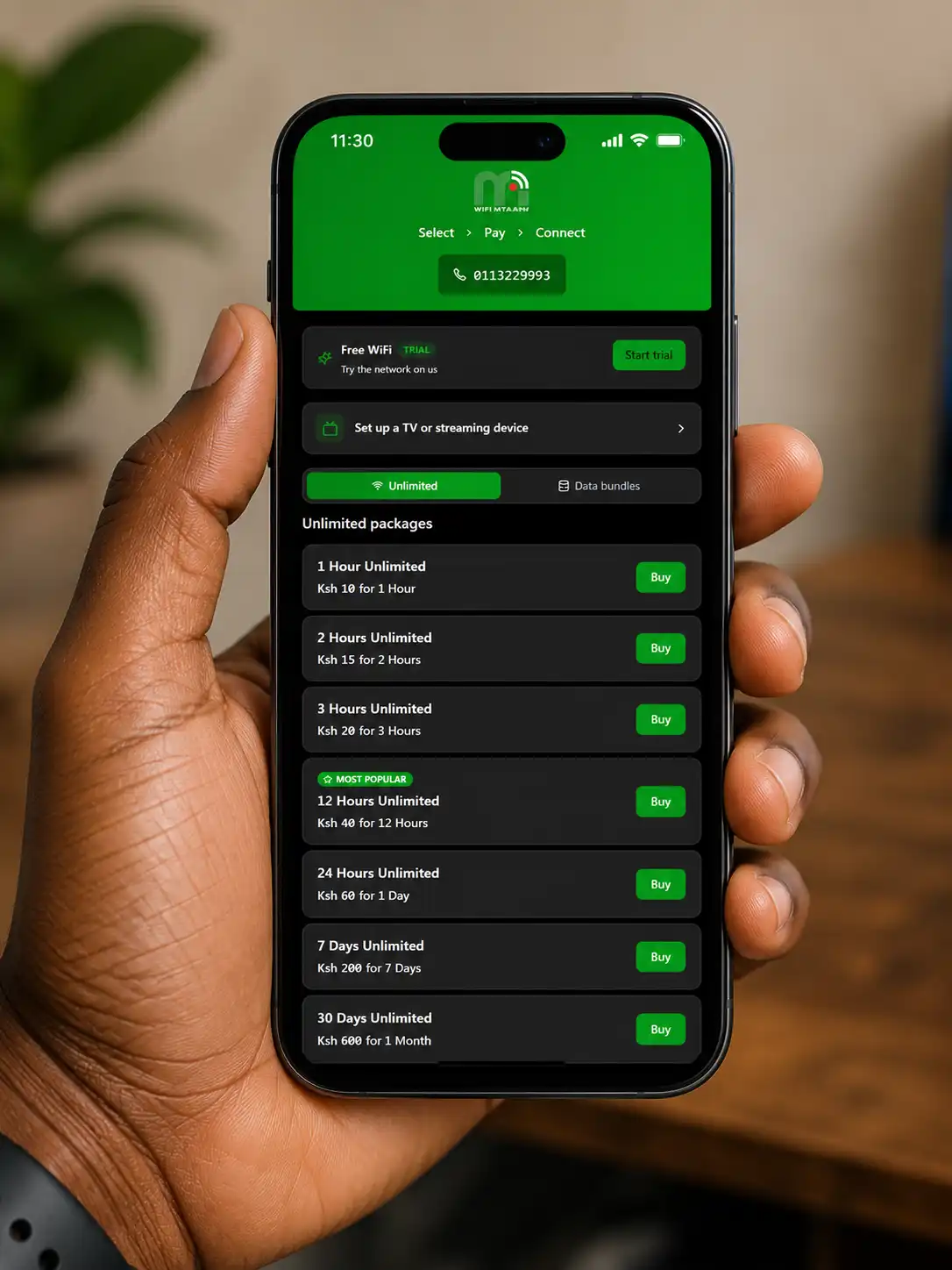
Available packages and prices may vary depending on your location. To view the latest options, connect to a nearby WiFi Mtaani hotspot to see all the plans on the captive portal (see image).
How do I buy a WiFi Mtaani hotspot package?
Buying a WiFi Mtaani package is simple and takes less than a minute.
- Connect to the WiFi Mtaani Wi-Fi network.
- Open your browser if the hotspot page doesn’t appear automatically.
- Browse the available packages and tap Buy on your preferred option.
- Enter your M-PESA phone number when prompted.
- Complete the payment on your phone.
- Once your payment is confirmed, your internet access will be activated automatically.
If you’re new to WiFi Mtaani, you can also tap Start Trial to enjoy 15 minutes of free internet before purchasing a package.
Tip: If you already have an active package, simply reconnect to the WiFi Mtaani network and continue browsing without paying again.
Do I need to create an account before connecting?
No. You don’t need to create an account to use WiFi Mtaani.
Simply connect to the WiFi Mtaani network, choose your preferred package, pay via M-PESA and you’ll be connected automatically. If you’re a first-time user, you can also enjoy 15 minutes of free internet before purchasing a package.
Some hotspot locations may ask for basic details, such as your phone number, to help verify your purchase and improve account security.
What username and password do I use to log in?
In most cases, you don’t need a username or password to access WiFi Mtaani hotspots.
Once you connect to the WiFi Mtaani SSID and complete your payment, your device is authenticated automatically and internet access is activated.
However, you will receive a Username and Password that you can use anytime you cannot access automatically.
Can I use one package on multiple devices?
Each WiFi Mtaani hotspot package is linked to the device you used when purchasing it. This helps ensure a secure and reliable connection for all users.
If you want to use another phone, laptop or tablet, simply disconnect from the first device before connecting the second one. Your package remains active until it expires, but it can only be used on one device at a time.
If you’re connecting several devices at the same time, you’ll need to purchase a separate package for each device.
I can see the WiFi Mtaani network but can’t connect. What should I do?
If you can see the WiFi Mtaani network but can’t connect, try these quick fixes:
- Make sure you’re within the hotspot coverage area.
- Turn Wi-Fi off and back on, then reconnect.
- Forget the WiFi Mtaani network and connect again.
- Open your browser and visit any website to trigger the hotspot login page.
- Restart your phone, tablet or laptop.
- If you’ve already purchased a package, check that it hasn’t expired.
If you’re still unable to connect, contact the WiFi Mtaani support on 0113 22 9993. Be ready to provide your phone number, the hotspot location and any payment confirmation message if you’ve already made a payment.
My package is active but I don’t have internet. What should I do?
If your package is still active but you can’t access the internet, try these steps:
- Turn Wi-Fi off and back on, then reconnect to the WiFi Mtaani SSID.
- Open your browser and refresh any webpage.
- Restart your phone, tablet or laptop.
- Make sure your package hasn’t expired.
- If you’ve switched to another device, reconnect using the device that purchased the package.
If the problem persists, contact us on 0113 22 9993. To help us resolve the issue faster, have your phone number, hotspot location and M-PESA transaction message ready.
How long does my hotspot package last?
Your WiFi Mtaani package remains active for the validity period you selected during purchase. Once the package expires, your internet access ends automatically. To continue browsing, simply purchase another package from the hotspot portal.
Unlimited Packages
| Package | Price | Validity |
|---|---|---|
| Free Trial | FREE | 15 Minutes |
| 1 Hour Unlimited | Ksh 10 | 1 Hour |
| 2 Hours Unlimited | Ksh 15 | 2 Hours |
| 3 Hours Unlimited | Ksh 20 | 3 Hours |
| 12 Hours Unlimited (Most Popular) | Ksh 40 | 12 Hours |
| 24 Hours Unlimited | Ksh 60 | 1 Day |
| 7 Days Unlimited | Ksh 200 | 7 Days |
| 30 Days Unlimited | Ksh 600 | 30 Days |
WiFi Data Bundles
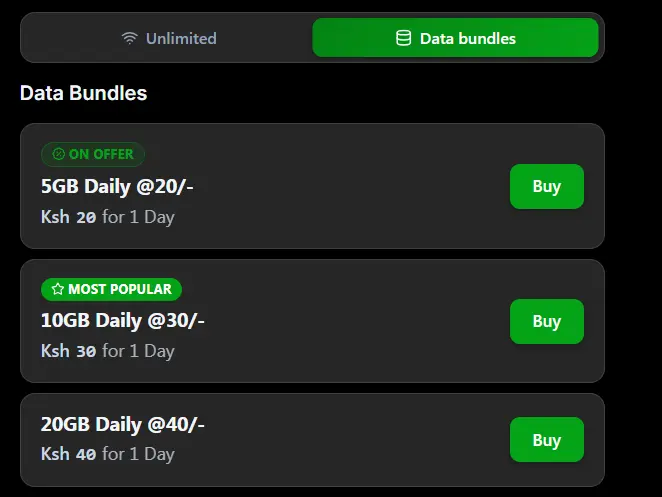
| WiFi Data Bundle | Price | Validity |
|---|---|---|
| 5GB Daily | Ksh 20 | 24 hours |
| 10GB Daily (Most Popular) | Ksh 30 | 24 hours |
| 20GB Daily | Ksh 40 | 24 hours |
Note: Package availability and prices may vary depending on your hotspot location.
Can I pause or extend my hotspot package?
No. Once a WiFi Mtaani hotspot package is activated, the countdown begins immediately and continues until the package expires. You can’t pause, extend or carry forward any unused time or data.
If your package expires while you’re still online, simply purchase another package to continue browsing. Your new package will be activated automatically after payment is confirmed.
If you’re unsure which package to choose, consider selecting a longer-duration plan or a data bundle that best matches your internet usage.
What happens when my package expires?
When your WiFi Mtaani package expires, your internet connection will be disconnected automatically. You won’t be charged again unless you choose to purchase another package.
To continue browsing, simply reconnect to the WiFi Mtaani network, select a new package and complete your payment. Your internet access will be restored immediately after payment is confirmed.
If you still have internet but notice your package has expired, refresh your browser or reconnect to the WiFi Mtaani network to access the hotspot portal.
Can I reconnect without paying again if I disconnect?
Yes. If your WiFi Mtaani package is still active, you can reconnect to the WiFi Mtaani network without making another payment.
Simply turn on Wi-Fi, reconnect to the hotspot and continue browsing. Your remaining time or data will still be available until your package expires.
If you’re asked to pay again even though your package is still active, refresh your browser or reconnect to the network. If the issue persists, contact the WiFi Mtaani support team for assistance.
How fast is WiFi Mtaani internet?
WiFi Mtaani is built to deliver fast, stable and reliable internet for everyday use. Whether you’re browsing the web, streaming videos, attending online classes, working from home or making video calls, our hotspot network is designed to keep you connected.
Actual speeds may vary depending on factors such as network coverage, your device, signal strength and the number of users connected to the hotspot at the same time.
We continuously monitor and upgrade our network to provide the best possible experience across all WiFi Mtaani Hotspot Zones.
Can I stream videos, play games and attend online classes?
Yes. WiFi Mtaani supports all your everyday online activities, including:
- Streaming movies and videos
- Online gaming
- Video calls on Zoom, Google Meet and Microsoft Teams
- Virtual classes and e-learning
- Social media and messaging
- Web browsing and email
- Downloading and uploading files
For the best experience, choose a package that matches your internet usage. Activities such as HD streaming, large downloads and online gaming may consume more bandwidth than basic browsing or messaging.
How do I check my remaining time or data balance?
Checking your remaining package is easy.
If you’re connected to a WiFi Mtaani hotspot, simply open your browser and visit the hotspot portal. Once logged in, you’ll be able to see your remaining time or data balance, depending on the package you’ve purchased.
If you’re unable to view your package details or think the information is incorrect, contact the WiFi Mtaani support team and we’ll be happy to assist.
Can I share my hotspot package with friends or family?
Yes, but only if you’re using one device.
Your WiFi Mtaani package is tied to the device that was used to activate it. This means it can’t be used on multiple devices at the same time.
If you’d like to share your connection, you can enable your phone or laptop’s Wi-Fi hotspot or USB tethering feature and connect other devices through it. Keep in mind that all connected devices will share the same internet connection, and your package time or data will be used faster.
For the best experience, we recommend purchasing separate packages if multiple people need internet at the same time.
What payment methods does WiFi Mtaani accept?
WiFi Mtaani currently accepts M-PESA for all hotspot purchases.
To buy a package, simply select your preferred plan, enter your M-PESA phone number and complete the payment using the prompt sent to your phone. Your internet access will be activated automatically once the payment is confirmed.
All payments are processed securely, and you’ll receive an M-PESA confirmation message for every successful transaction.
How do I contact WiFi Mtaani support?
If you need help with your hotspot connection, payment, package or any other issue, our support team is ready to assist.
Contact us:
- Phone & WhatsApp: 0113 22 9993
- Email: [email protected]
To help us resolve your issue faster, please have the following information ready:
- The phone number used to purchase the package
- The hotspot location or estate
- Your M-PESA transaction message (if applicable)
- A brief description of the problem
Our goal is to get you back online as quickly as possible.